DA PA Checker Guide - How to Use DA PA Checker Tools Effectively
Complete guide to DA PA checker tools for SEO. Learn how to choose the best DA PA checker, interpret DA and PA results, and use them for link building and competitor analysis.
What is a DA PA Checker?
A DA PA checker is an SEO tool that checks the Domain Authority (DA) and Page Authority (PA) scores of any website. These scores, developed by Moz, are widely used in the SEO industry to evaluate the ranking potential of websites and individual pages. To understand what these scores mean, see our complete guide to DA and PA.
DA PA checkers work by querying Moz's link index data to retrieve the authority scores for the URLs you enter. Most tools also provide additional metrics like Spam Score, which helps you assess the quality and safety of a website.
How DA PA Checkers Work
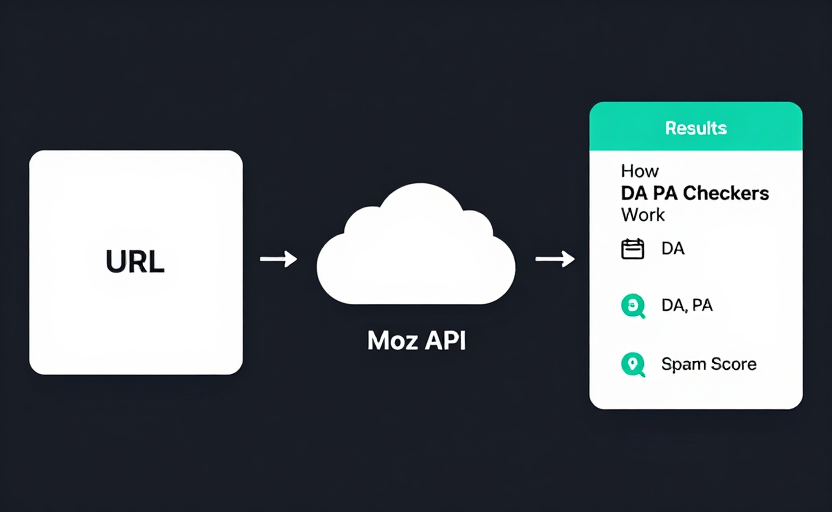
When you enter a URL into a DA PA checker, the tool:
- Validates the URL — Ensures the input is a properly formatted web address
- Queries Moz's API — Retrieves the latest DA, PA, and related metrics from Moz's link index
- Processes the results — Formats the data for display, often with color-coded indicators
- Presents the findings — Shows DA, PA, Spam Score, and sometimes additional metrics like domain age or backlink count
The entire process typically takes just a few seconds per URL.
Top DA PA Checkers Compared
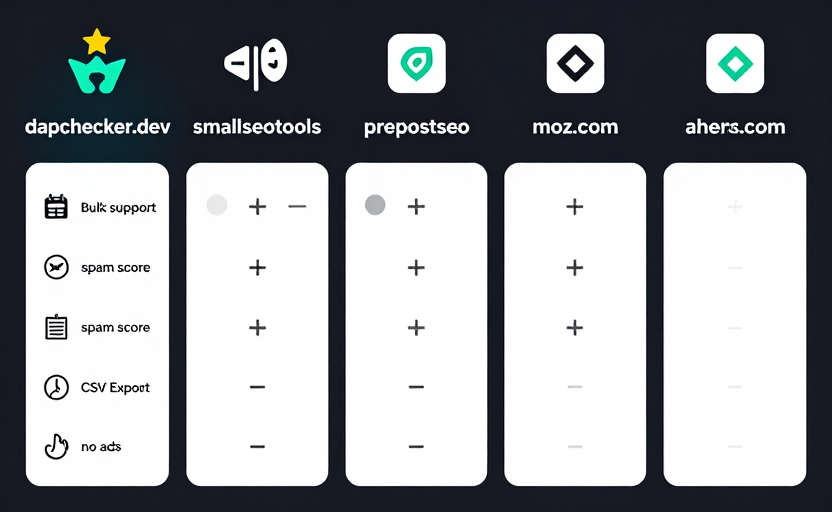
| Tool | Free URLs | Bulk Support | Spam Score | CSV Export | Ads |
|---|---|---|---|---|---|
| dapachecker.dev | 10 | Up to 100 | Yes | Yes (Pro) | No |
| smallseotools.com | 5 | Yes | Yes | No | Yes |
| prepostseo.com | 5 | Yes (500) | No | No | Yes |
| moz.com | 1 | No | Yes | No | No |
| ahrefs.com | 1 | No | No (DR only) | No | No |
Our advantage: dapachecker.dev offers the best combination of free bulk checking, no ads, and comprehensive metrics (DA + PA + Spam Score + Domain Age).
How to Use Our DA PA Checker
Single URL Check
- Go to our DA PA Checker
- Enter a single URL in the input field (e.g.,
https://example.com) - Click "Check DA PA"
- View the results: DA score, PA score, and Spam Score
Bulk Check
- Go to our Bulk DA PA Checker
- Paste multiple URLs, one per line (up to 100 with Pro)
- Click "Check DA PA"
- Review results in the table format
- Export to CSV if needed (Pro feature)
Understanding DA PA Results
Interpreting DA Scores
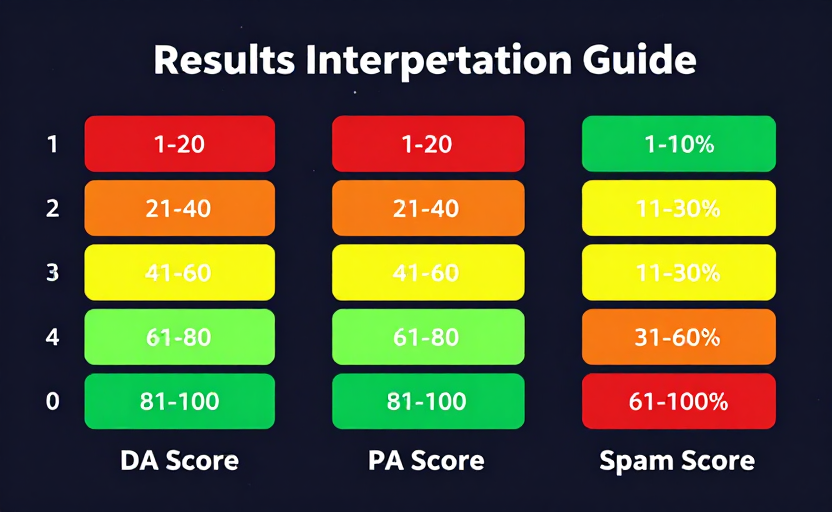
- DA 1-20: The site is new or has very few backlinks. It will struggle to rank for competitive keywords.
- DA 21-40: The site has some authority but is below average. It can rank for low-competition keywords.
- DA 41-60: This is an average, established site. It can rank for moderately competitive keywords.
- DA 61-80: A strong, well-established site with good ranking potential.
- DA 81-100: A highly authoritative site (like Wikipedia, Google, or major publications).
Interpreting PA Scores
PA follows a similar scale but applies to individual pages. A page's PA is often lower than the domain's DA unless that specific page has attracted significant backlinks.
Interpreting Spam Score
- 1-10%: Low risk — Safe for link building
- 11-30%: Medium risk — Evaluate the site before linking
- 31%+: High risk — Avoid building links from this site
DA PA Checker for Link Building
Using a DA PA checker is essential for effective link building:
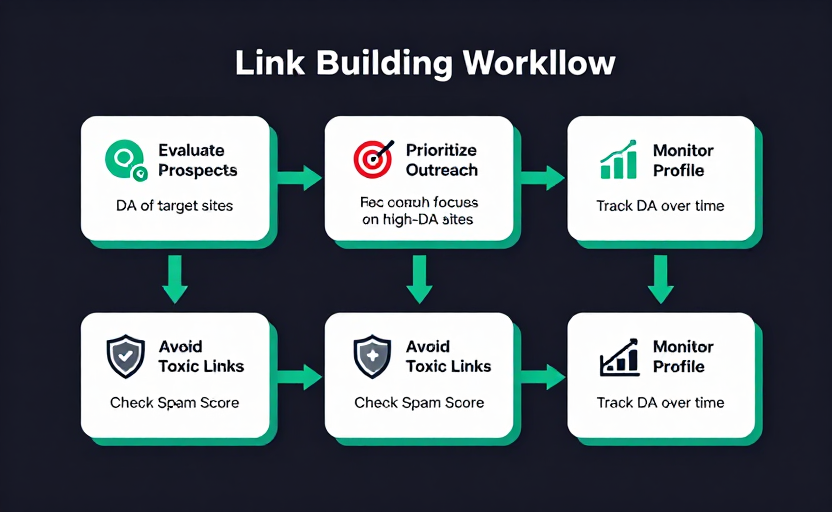
1. Evaluating Link Prospects
Before reaching out for a link, check the site's DA. A link from a DA 60 site is generally more valuable than one from a DA 20 site.
2. Prioritizing Outreach
When you have a list of 100 potential link targets, check their DA scores in bulk and prioritize high-DA sites first.
3. Avoiding Toxic Links
Check Spam Score alongside DA. A high-DA site with a high Spam Score might actually harm your SEO. Learn more in our Spam Score guide.
4. Monitoring Your Own Profile
Track your own DA over time to measure the impact of your link building campaigns.
DA PA Checker for Guest Posting
Guest posting is one of the most common use cases for DA PA checkers:
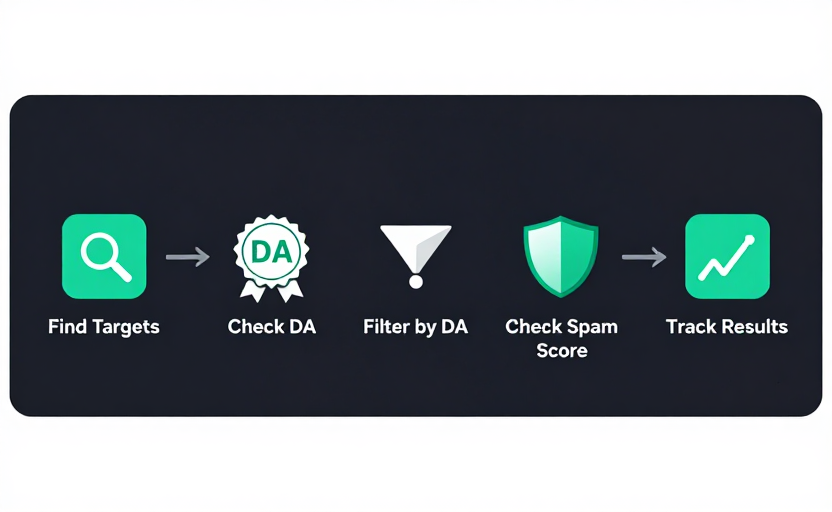
- Find target sites — Search for blogs in your niche that accept guest posts
- Check their DA — Use our bulk checker to evaluate all potential targets at once
- Filter by DA — Prioritize sites with DA higher than yours for maximum SEO benefit
- Check Spam Score — Avoid sites with high Spam Score, even if their DA is decent
- Track results — After your guest post is published, monitor if the linking site's authority changes
Common Mistakes When Using DA PA Checkers
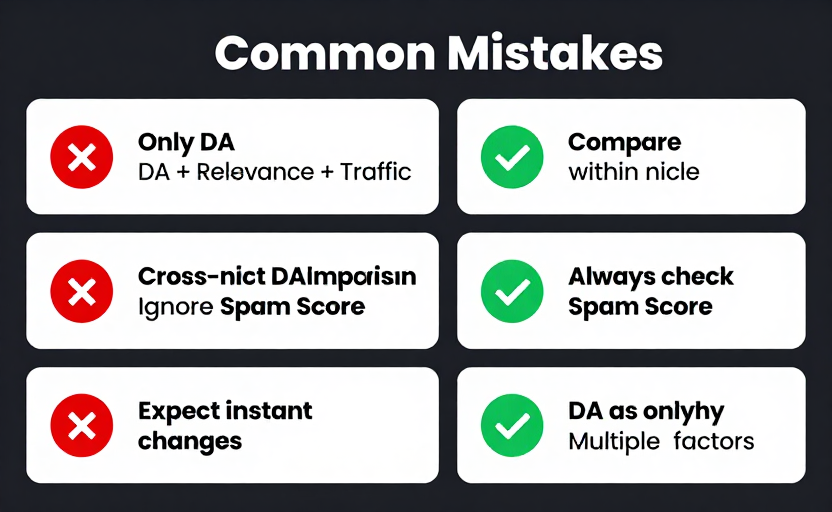
Mistake 1: Obsessing over DA alone Fix: DA is just one metric. Also consider relevance, traffic, content quality, and Spam Score.
Mistake 2: Comparing DA across different niches Fix: Only compare DA against direct competitors in your industry.
Mistake 3: Ignoring Spam Score Fix: Always check Spam Score alongside DA. A high-DA site with 60%+ Spam Score can be risky. Learn how to interpret Spam Score for better link building decisions.
Mistake 4: Expecting instant DA changes Fix: DA updates every few weeks. Track it monthly, not daily.
Mistake 5: Using DA as the sole link building criterion Fix: Consider relevance, traffic, audience overlap, and content quality too.
Conclusion
A DA PA checker is an indispensable tool for any SEO professional. Whether you're doing link building, competitor analysis, or guest posting outreach, checking DA and PA helps you make informed decisions and prioritize your efforts.
Start using our free DA PA Checker today, or try the Bulk DA PA Checker for checking multiple URLs at once.
Frequently Asked Questions
What is the best free DA PA checker?
dapachecker.dev offers the best combination of free bulk checking (up to 100 URLs), no ads, and comprehensive metrics including DA, PA, Spam Score, and Domain Age — all in one tool.
How accurate are DA PA checkers?
dapachecker.dev returns the latest DA, PA, and Spam Score already stored for listed domains. It does not make a live Moz API request during a public check, so unknown domains are shown as unavailable.
Can I check DA PA for multiple URLs at once?
Yes, our Bulk DA PA Checker supports up to 100 URLs at once. Simply paste your URLs, one per line, and get DA, PA, and Spam Score for all of them in seconds.
What does a DA score of 50 mean?
A DA of 50 is average for an established website. It can rank for moderately competitive keywords. However, DA is comparative — what matters is how your DA compares to competitors ranking for the same keywords.
Should I check Spam Score along with DA?
Always check Spam Score alongside DA. A high-DA site with a high Spam Score (60%+) can be risky for link building. A site with moderate DA but low Spam Score is often a safer link target.